
Earn extra data when you use autopay
Receive 2GB of extra data by setting up autopay with credit card for Birdie’s bill payment.
2GB of extra data will be deposited into your “Gift Box” on a one-off basis after making the first successful payment via autopay (i.e. in the second month).
2GB of extra data will be deposited into your “Gift Box” on a one-off basis after making the second successful payment via autopay.
-
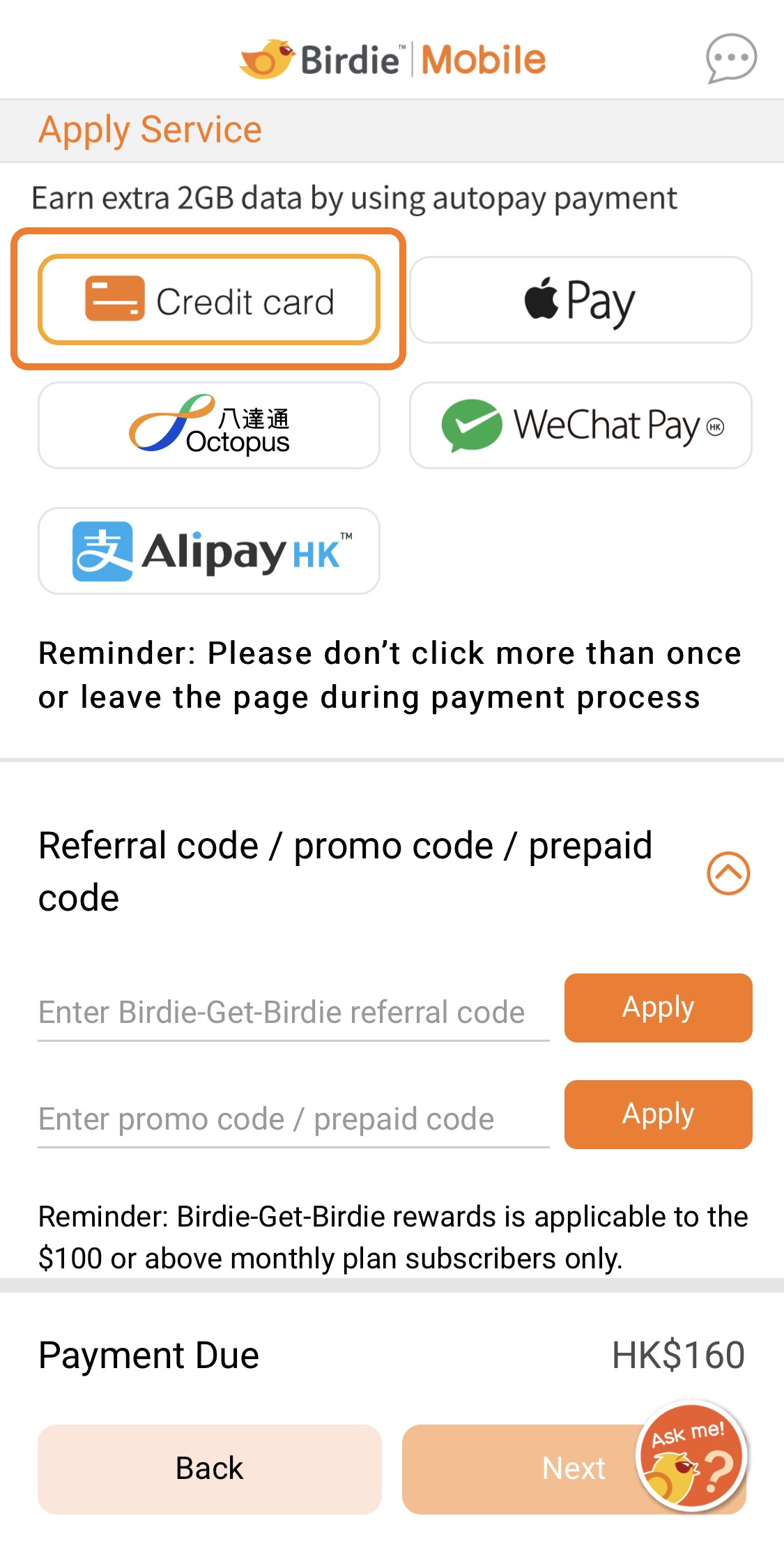 1. After choosing a plan and filling in your information, choose “Credit card” in the payment step
 -
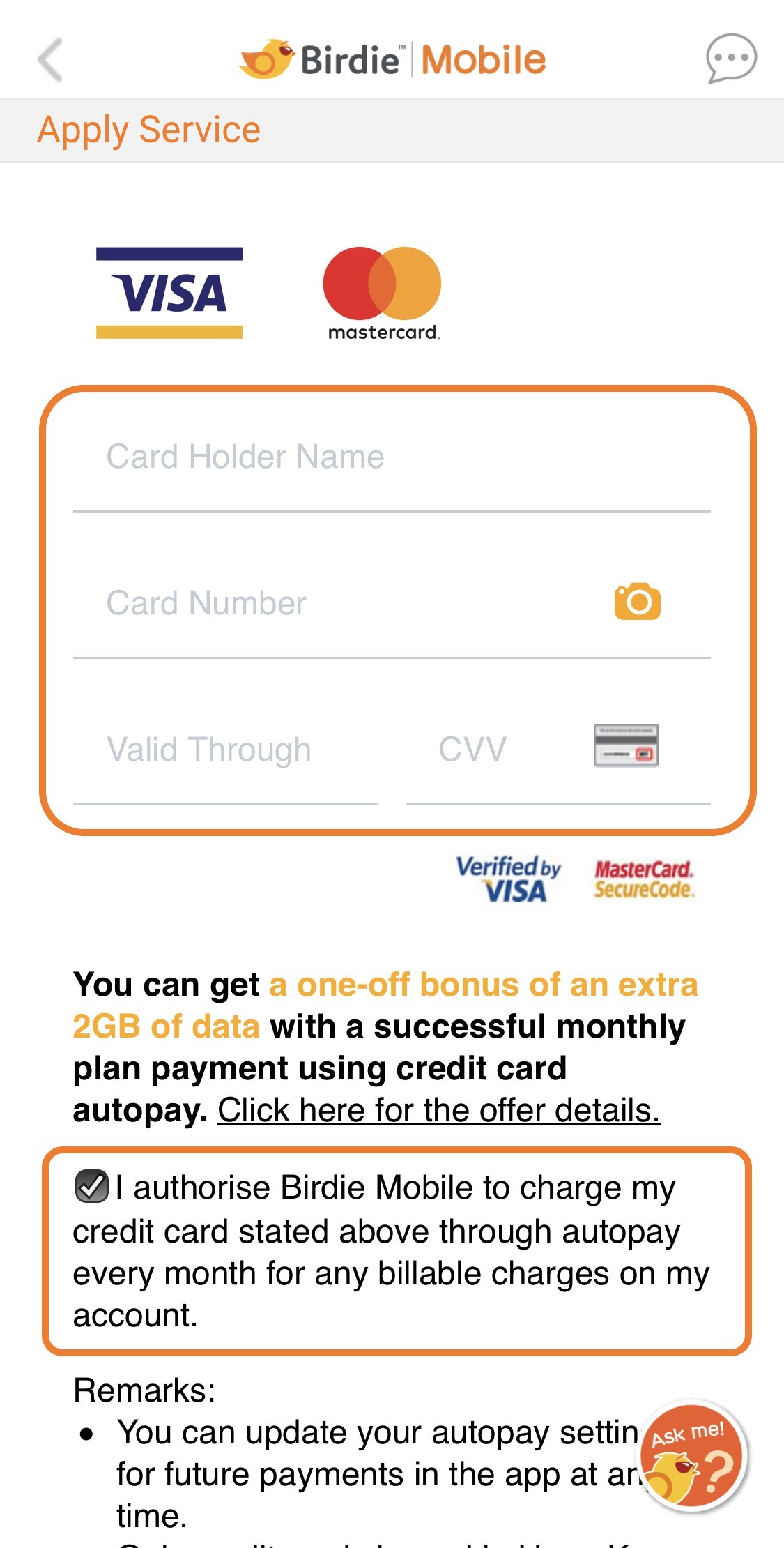 2. Input your credit card information and tick the box to enable autopay - done!
 -
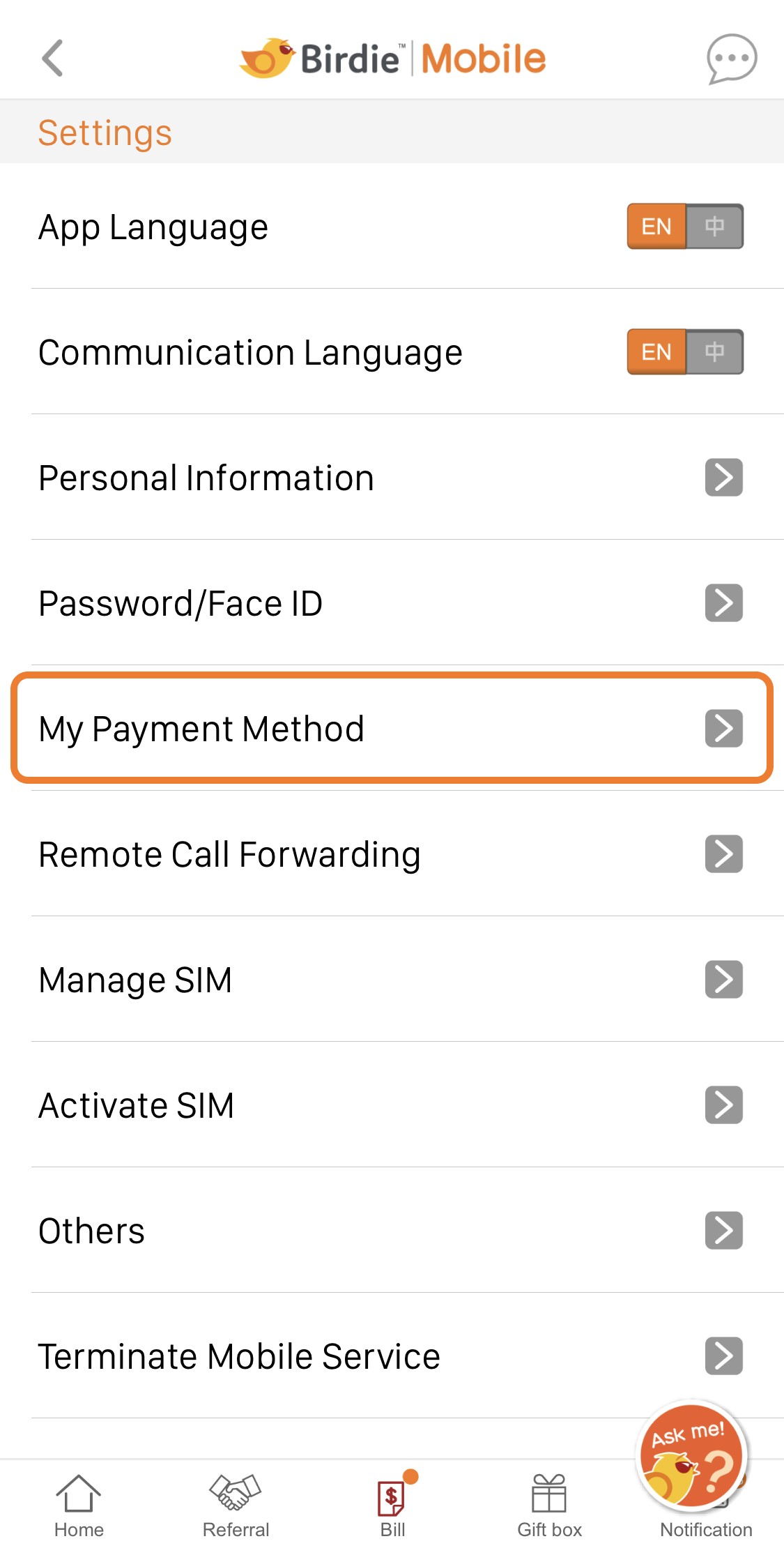 1. Go to “Settings” > “My Payment Method” in Birdie Mobile App
 -
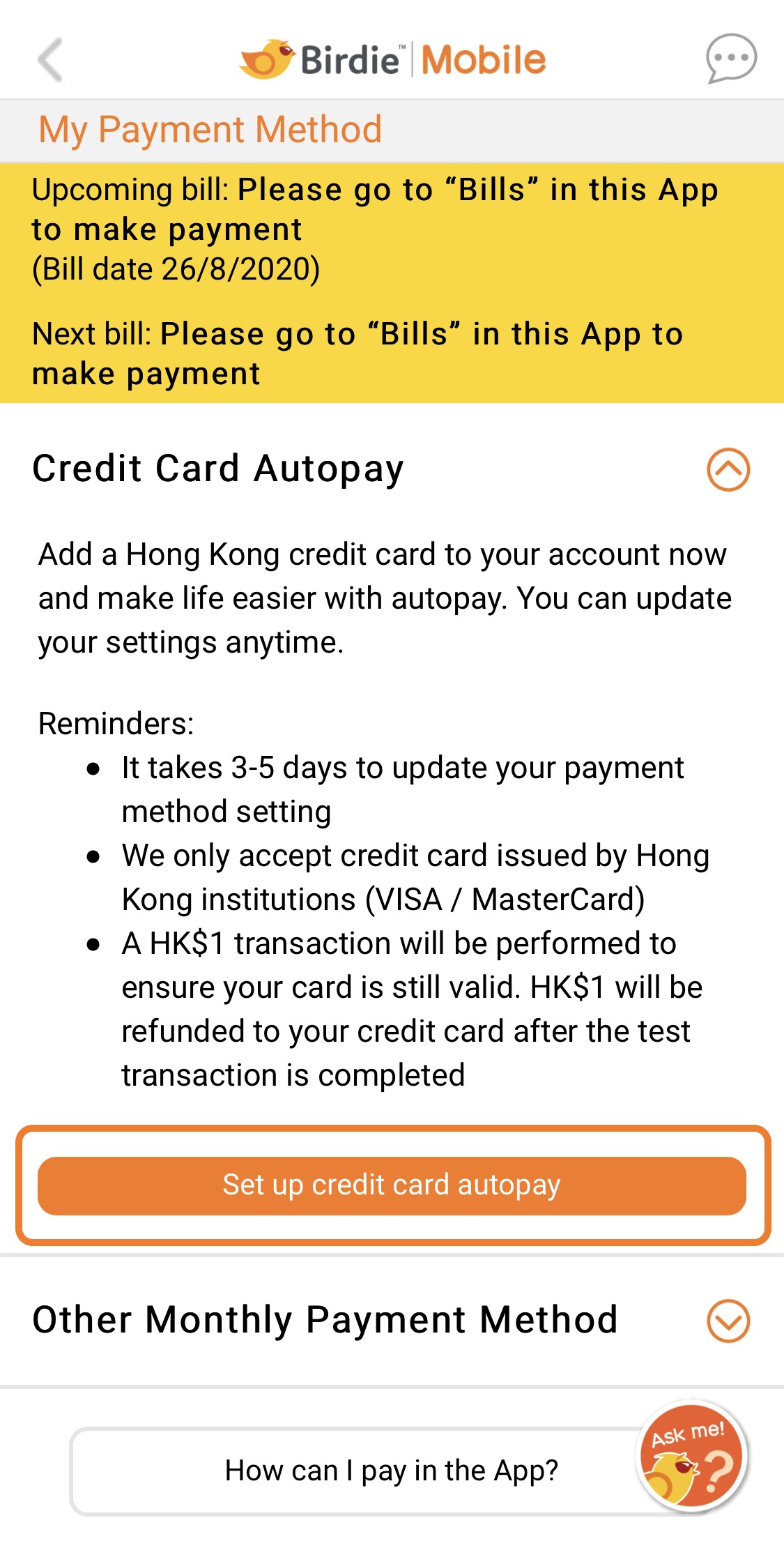 2. Tap “Set up credit card autopay”
 -
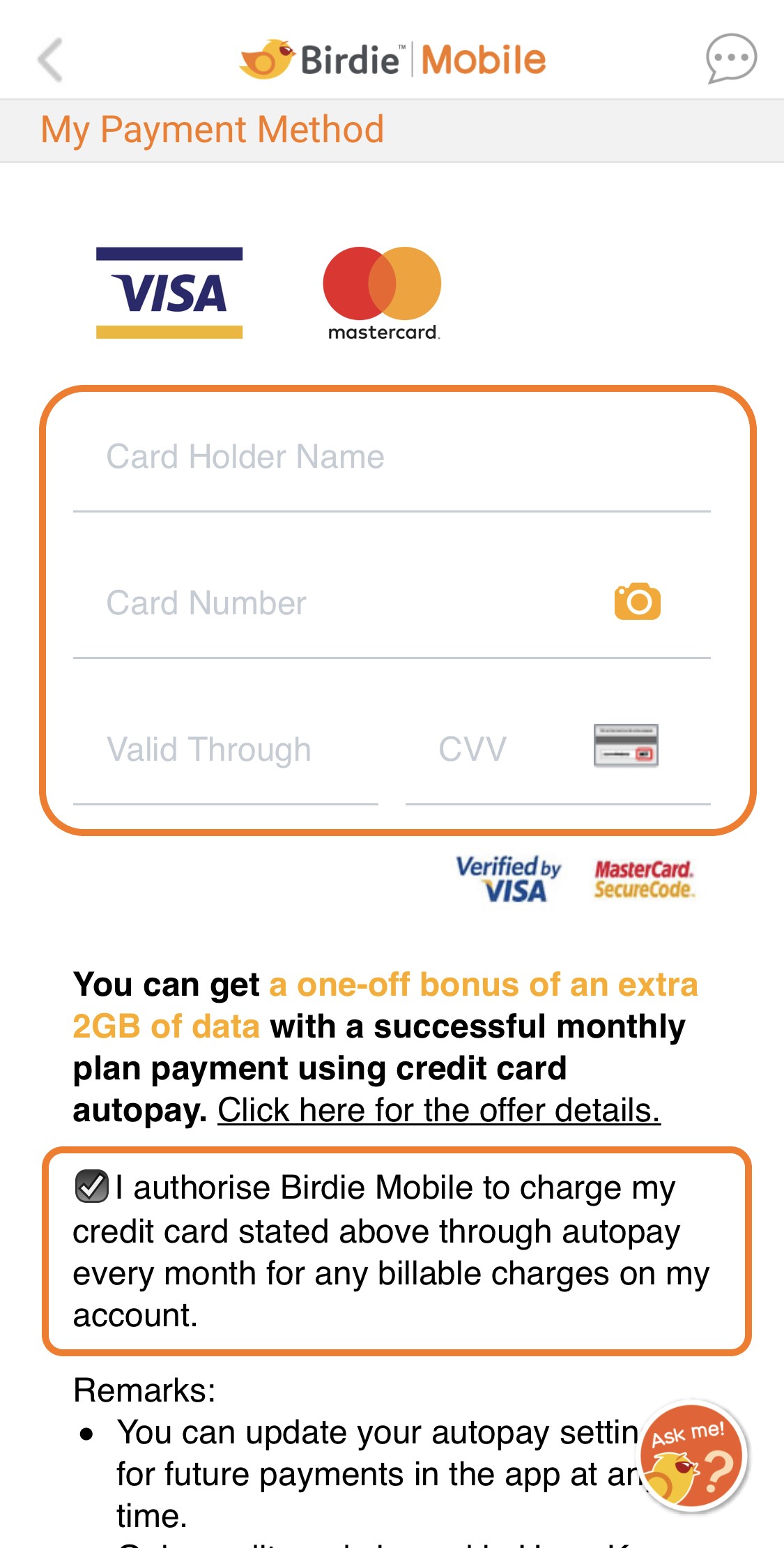 3. Input your credit card information - done!