
How to Buy Travel Data Day Passes?

You can buy Travel Data Day Passes anytime in the Birdie Mobile App. Available day passes are shown under “Dashboard” and remember to check their valid dates.

1. Find “Travel Data Day Pass” and tap “Add Travel Day Passes”
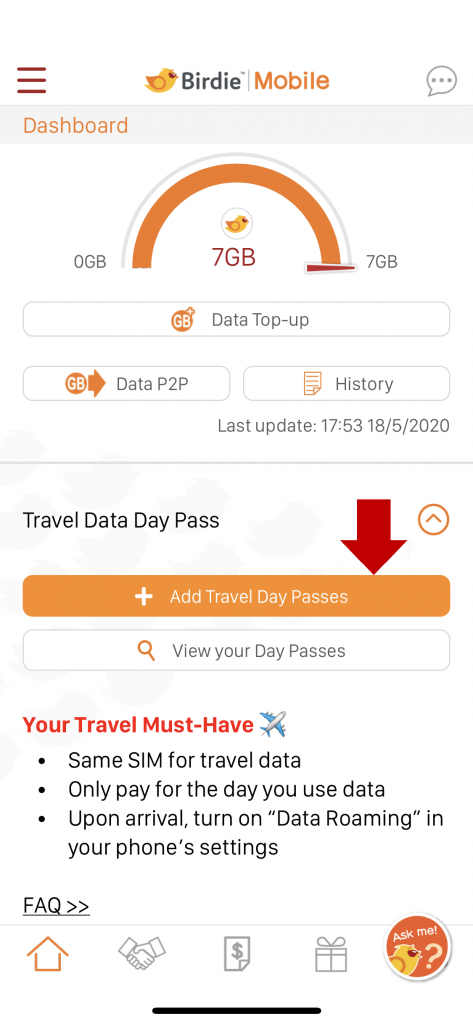
Travel Data Day Pass > How it works
FAQ

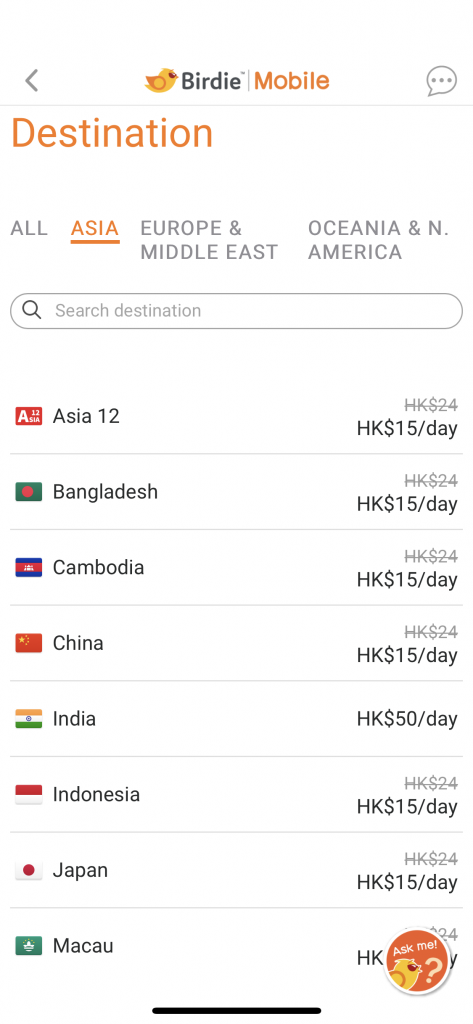
2. Select a destination

Birdie Travel data daypass

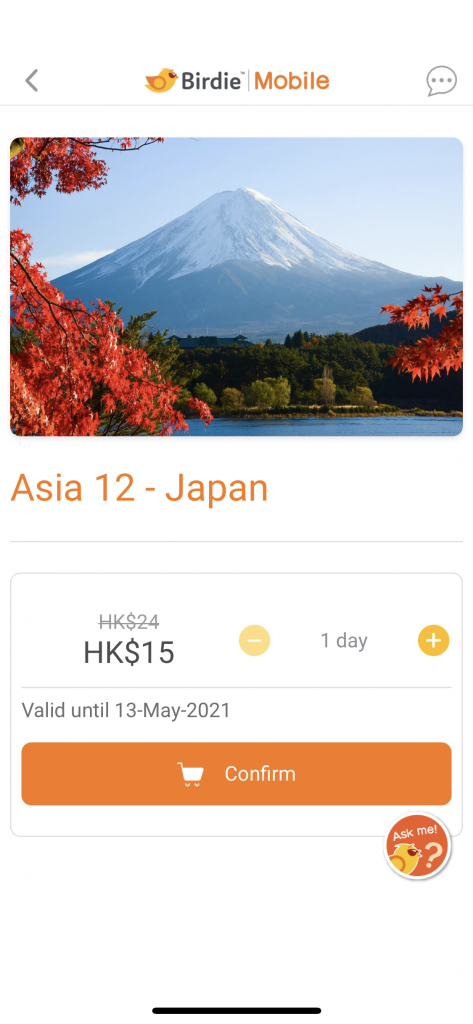
3. Pick the number of days

Birdie travel day pass - asia 12 (Japan)

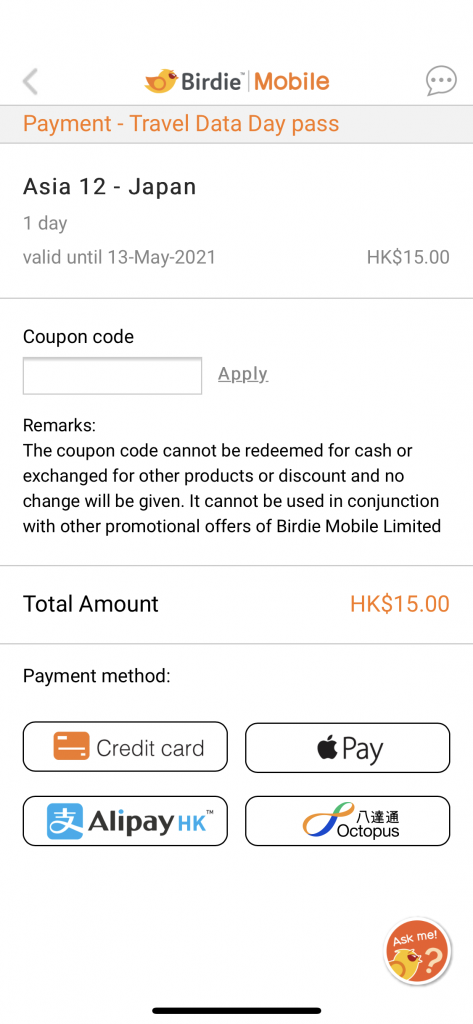
4. Pay and it’s good to go!

Travel Data Day Pass > How it works

1. Find “Travel Data Day Pass” and tap “Add Travel Day Passes”

Travel Data Day Pass > How it works

2. Select a destination

Birdie Travel data daypass

3. Pick the number of days

Birdie travel day pass - asia 12 (Japan)

4. Pay and it’s good to go!

Travel Data Day Pass > How it works

1. Find “Travel Data Day Pass” and tap “Add Travel Day Passes”

Travel Data Day Pass > How it works

2. Select a destination

Birdie Travel data daypass

3. Pick the number of days

Birdie travel day pass - asia 12 (Japan)

4. Pay and it’s good to go!

Travel Data Day Pass > How it works

Our *131* PhoneHome Service will be discontinued after Aug 20, 2026 (HK Time). Starting from Aug 21, to call back to HK while overseas, please dial +852 followed by the 8-digit HK phone no. Click here for tariff details.

X